

PRODUCTS
Ankara, Hasibu, Pleasio, Supply, Internet Provision, Systems, Kopo, Tiba
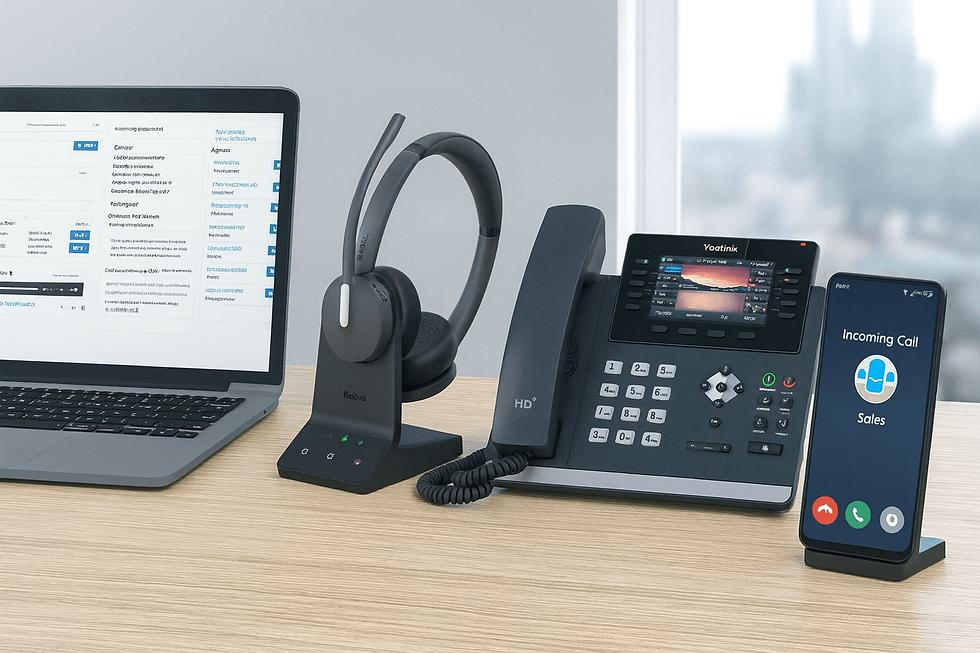
Infotronics Cloud VoIP & IP PBX Kenya | Business Phone Systems
One Business Phone System. Every Branch. Anywhere.
Modernize your business communication with Infotronics Cloud VoIP and IP PBX. Connect employees, departments, remote teams and multiple branches through a centralized cloud-based telephone system using customized extension numbers.
Whether you are upgrading from an analogue telephone system, expanding to new branches or enabling employees to work remotely, our cloud telephony solution helps your organization communicate more efficiently.
Explore the Benefits Contact Infotronics
What Is Cloud VoIP and IP PBX?
Cloud VoIP is a business telephone solution that transmits voice calls over internet protocol networks. An IP PBX manages telephone extensions, call routing and other business telephony functions, while a cloud-hosted deployment runs its core PBX services on a remotely hosted server.
Similar to a traditional office PBX, each employee can be assigned an extension number. The difference is that compatible devices can connect to the cloud PBX from different locations, subject to internet connectivity, configuration and service capacity.
Infotronics Cloud VoIP enables businesses to connect office phones, computers and compatible mobile devices through one centralized communication platform.
Benefits of Infotronics Cloud VoIP for Businesses
1. Reduce Internal Communication Costs
Employees can call other registered extensions over the IP network, helping reduce reliance on conventional airtime for internal calls. Your organization can connect departments and branches without treating every internal conversation as a conventional telephone call. Internet access, hosting and calls to external telephone networks may still incur charges.
2. Connect Multiple Branches
Manage communications across different offices using a centralized cloud PBX. Staff in different towns can use assigned extensions to communicate with colleagues, subject to suitable network connectivity and system configuration.
3. Use Your Mobile Phone as an Office Extension
Compatible smartphones can be configured with supported VoIP applications, allowing employees to access their business extensions while working remotely, travelling or visiting clients.
4. Reduce Dependence on Physical PBX Equipment
A cloud-hosted telephone system reduces the need to maintain a dedicated on-site PBX appliance. This can reduce equipment space, power consumption and hardware servicing associated with a traditional installation, although endpoint devices and network equipment are still required.
5. Scale as Your Business Grows
Add users, departments and branches as your organization expands. The number of extensions and simultaneous calls supported depends on the hosting resources, licensing arrangements and selected service configuration.
6. Centralized Management
Manage user extensions and supported telephone settings from one administration environment. With appropriate training, your designated IT administrator can manage routine changes without requiring physical access to a PBX at every branch.
7. Support Remote and Hybrid Working
Enable staff to stay connected using compatible devices wherever suitable internet connectivity is available. This helps maintain consistent internal communication between office-based and remote employees.
8. Improve Business Call Handling
Depending on the selected configuration, your cloud PBX can support features such as call transfers, ring groups, voicemail, conference calls and departmental call routing.
Key Features of Our Cloud PBX System
- Customized extension numbers for employees and departments.
- Multi-branch and remote-user connectivity.
- Compatible mobile and desktop softphone applications.
- Support for compatible IP phones and headsets.
- Centralized cloud PBX administration.
- Call transfers and internal extension dialing.
- Ring groups and conference calling where supported.
- Configurable call routing and departmental extensions.
- Flexible extension numbering according to your organization.
- Administrator training and technical support.
Customized Extension Numbers for Your Organization
Infotronics can organize extension numbers according to your departments, branches and preferred numbering structure. For example:
| Department | Branch A | Branch B |
|---|---|---|
| Administration | 1000–1020 | 2000–2020 |
| Sales | 1021–1050 | 2021–2050 |
| Customer Support | 1051–1060 | 2051–2060 |
This is an example numbering plan. Your actual extension structure will be designed around your organization's needs.
Who Needs Cloud VoIP in Kenya?
Infotronics Cloud VoIP and IP PBX is suitable for organizations seeking flexible business telephony and centralized communication.
- SMEs: Improve internal communication without relying exclusively on conventional office phone lines.
- Corporate offices: Organize extensions by department and improve call handling.
- Schools: Connect administration offices and other departments.
- Hospitals and clinics: Facilitate communication between departments and administrative teams.
- Call centres: Support compatible softphones and configurable call-handling workflows.
- Retail businesses: Connect head offices, stores and branch employees.
- Multi-branch organizations: Centralize telephone management across locations.
- Remote teams: Allow registered employees to use compatible devices outside the office.
How to Get Started with Infotronics Cloud VoIP
Step 1: Assess Your Communication Needs
Identify the number of users, departments, branches and devices required. Establish whether you are upgrading an analogue PBX, connecting several offices or supporting remote employees.
Step 2: Prepare Your Internet Connection
Cloud VoIP requires reliable internet connectivity. Voice quality depends on available bandwidth, latency, jitter, packet loss and the number of simultaneous calls. A network assessment helps determine whether your connection is suitable.
Step 3: Set Up the Cloud PBX
Infotronics will configure the agreed cloud hosting environment and, where required, a subdomain such as pbx.yourcompany.co.ke.
Step 4: Configure Extension Numbers
We will create the required extensions according to your organizational structure, departments and branch numbering plan.
Step 5: Configure User Devices
We will help configure compatible mobile applications, computers and IP phones and test the agreed calling functions.
Step 6: Training and Support
We will train your designated IT administrator on routine extension management, device configuration and basic troubleshooting. Ongoing support will follow the agreed service terms.
Cloud VoIP Pricing in Kenya
Infotronics Cloud VoIP uses a flexible pricing approach designed to suit different business sizes and communication requirements.
- One-time setup fee: Initial configuration and deployment.
- Cloud hosting subscription: Monthly or annual hosting fees, according to the selected plan.
- Device costs: Optional IP phones, headsets and related equipment.
- Additional services: Any extra features, licences or support outside the agreed package.
The final cost depends on the number of users, hosting resources, required features, equipment and support arrangements. Contact Infotronics for a quotation tailored to your organization.
Security and Reliability
Business telephone systems should be protected against unauthorized access and misuse. Appropriate security measures for a cloud PBX include strong user credentials, secure signalling and voice encryption where supported, firewall restrictions, software updates, monitoring and controlled administrative access.
Reliable operation also depends on internet service quality, suitable server resources, backups and a recovery plan. Security and availability depend on the actual deployment configuration and ongoing maintenance.
Frequently Asked Questions
What is the difference between Cloud VoIP and a traditional PBX?
A traditional PBX is usually installed at your premises. A cloud PBX runs its core telephony services on a remotely hosted server, allowing compatible devices to register from different locations.
Can I connect multiple branches?
Yes. Your organization can connect registered extensions across branches using suitable internet connections and a shared cloud PBX configuration.
Can employees use their mobile phones?
Yes. Compatible smartphones can use supported VoIP applications to register business extensions over Wi-Fi or mobile data.
Does Cloud VoIP require internet?
Yes. Cloud-hosted telephony relies on IP connectivity between devices and the PBX. A stable network is essential for good call quality.
Can I retain my existing analogue phones?
Some analogue phones may be reused with compatible analogue telephone adapters or gateways. Compatibility and additional equipment requirements must be assessed before migration.
How much does Cloud VoIP cost?
Pricing depends on users, hosting, features, devices and support. Contact Infotronics for a quotation based on your requirements.
Does Cloud VoIP eliminate all calling costs?
No. Internal extension calls can be carried over the IP network, but hosting, internet access and calls to external telephone networks may still incur charges.
Modernize Your Business Communication Today
Connect your employees, departments and branches through Infotronics Cloud VoIP and IP PBX. Discover a flexible approach to business telephone systems designed for modern organizations.
Ready to get started? Contact Infotronics to discuss your requirements, request a demonstration and receive a customized quotation.
Infotronics Ltd
Your Partner in Effective and Efficient IT Solutions.
Website: infotronics.co.ke

Infotronics Ltd is a modern IT firm in Nairobi Kenya with a variety of products that are inline with our clients needs. These are effective and efficient systems, supply of ICT products and services, provision of residential internet, and training.
- Effective and efficient systems
- Supply of ICT hardware and software
- Provision of residential internet
- Business process automation
- Systems maintenance and IT support
- Training
Our Contacts
Infotronics Ltd
Pumping Hydraulics, Outering Road
+254 731 967 831/ +254 741 909 987
sales[at]infotronics.co.ke
www.infotronics.co.ke
